


Hearing Aid App for Android
3.9172.00 Reviews
App Specs
- Version
- 2.1.2
- Updated On
- License
- Free
- Downloads
- 1,000,000+
- Developer
- Firehawk
- Categories
- Medical
- Platform
- Android
Screenshots
 Analysis by AppCompare
I judge a hearing app less by how impressive its controls sound and more by whether I can use it comfortably when a conversation matters. Hearing Aid App is a free medical app from Firehawk for Android, and its appeal is easy to understand: it aims to make nearby sound easier to hear through a phone. That can be useful for someone who occasionally misses words, but it is worth approaching as a listening aid for everyday situations, not as a replacement for hearing care or a prescribed device.
Readability and navigation in everyday use
First things first, downloading the Hearing Aid App is a breeze. Head over to the Google Play Store, and you’ll find it ready for a quick install. Once you’ve got it on your device, setting it up is straightforward, with a clean and intuitive interface that even those who are not super tech-savvy can navigate with ease.
That kind of straightforward start matters for an app intended to help in the moment. If I am trying to follow a conversation, I do not want to spend several minutes searching through controls. I would take a little time in a quiet place to learn where the listening and sound adjustments are before relying on them in a busy setting. A familiar starting routine can reduce fumbling when attention needs to stay on the person speaking.
Making the listening experience work for you
The app is rated for Everyone, has reached over a million installs, and holds an average rating of 3.9 from around 9,200 ratings. Those figures suggest that many Android users have tried it, but they do not tell me whether it will suit a particular person’s hearing or phone. Its current version is 2.1.2, and it supports Android 5.0 and later, so compatibility still depends on the device and the accessories someone plans to use.
Motor and sensory considerations
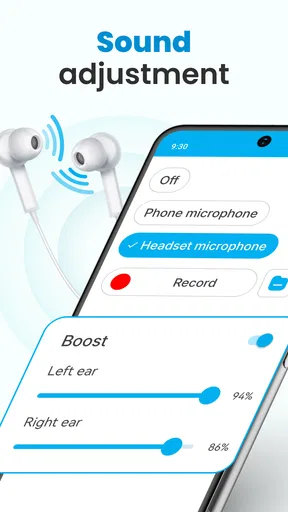
The app kicks off with a simple calibration process that personalizes the sound settings to suit your specific hearing needs. This is where it gets interesting. The app uses your phone’s microphone to analyze the surrounding noise levels and adjusts the sound output accordingly. It’s like having your own personal sound technician right in your pocket.
For the best chance of a useful setup, I would calibrate somewhere quiet and comfortable, then make small adjustments rather than pushing every control to its maximum. That gives me a clearer sense of what each change is doing. I would also check the result with a familiar voice at a conversational distance before using it for a meeting or an appointment. A phone microphone and headphones can make sound louder, but louder is not automatically clearer or more comfortable.
One practical trade-off is that using a phone as part of the listening setup can occupy a hand and divide attention. If tapping controls is difficult, or if handling a phone while listening is inconvenient, the app may be less suitable in situations that call for a quick response. Trying the controls while seated and unhurried is a sensible way to decide whether the interaction feels manageable for you.
Worth Reading Before You Choose

EA SPORTS FC Mobile 26 Is a Bigger Football Game, but It Takes Time

Flipboard Shows What News Apps Must Do Beyond the Feed

Switching to Android Auto Means Rethinking Your Driving Routine

Google Calendar Makes a Crowded Week Easier to Manage

Ludo King Makes the Most of the Minutes Between Plans

Baby Panda World Brings Quick Play to Modern Phones, but Its Game Library Feels Busy
Features that stand out, and where they fit
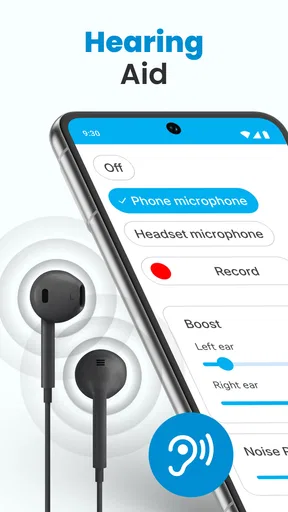
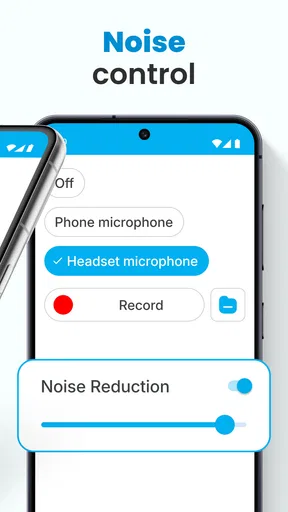
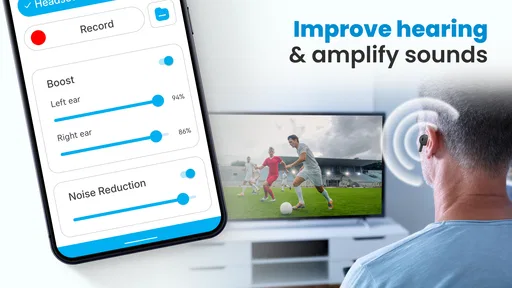
Now, let’s talk features because, honestly, this app is packed with some pretty cool stuff. One feature that I found particularly useful is the noise reduction option. It helps cut through the background chatter, making conversations so much clearer. Whether you’re in a bustling café or a crowded street, the app does a solid job of focusing on the voice that matters most.
I would still treat noise reduction as a tool to test, not a guarantee that every voice will become easy to follow. In a café, I would choose a seat with my back to a wall and face the person speaking, then compare the sound with the feature on and off. That simple check helps reveal whether it is reducing distractions or making voices sound less natural. Positioning can matter as much as processing when several people are talking at once.
Another highlight is the customizable equalizer. You can tweak the bass, treble, and other sound frequencies to match your preference. This is a big win for music lovers who want to enjoy their tunes without missing out on any details.
The equalizer also gives me a way to make careful personal adjustments, but I would avoid changing several frequencies at once. If speech becomes harsh or tiring, returning to the previous setting is more useful than continuing to increase amplification. I would keep separate expectations for music and conversation: a sound balance that makes a song enjoyable may not be the one that makes spoken words easiest to understand.
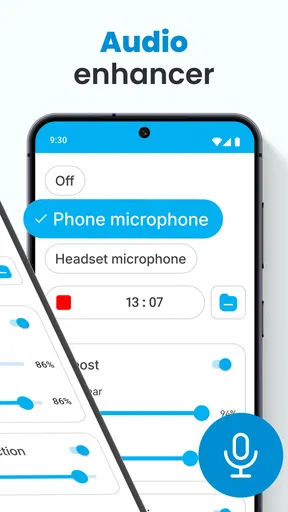
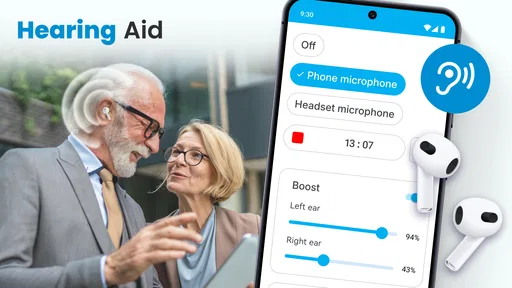
For those moments when you need a little extra boost, the app offers a live listening feature. It’s like having a superpower; just tap a button, and suddenly, everything around you is amplified. Perfect for meetings, lectures, or any situation where you need to be in the know.
For a lecture or meeting, I would consider where the phone is placed and whether it can stay still without becoming a distraction. The microphone can only pick up what reaches it, so keeping it near the speaker may be more helpful than holding it casually at my side. I would test this arrangement beforehand, especially if I need to take notes or participate, since managing a listening phone and other tasks at once may not suit everyone.
Situational access: useful routines and alternatives
A realistic use case is a family meal in a familiar room: I can set up the app before everyone arrives, check the listening level with one person, and then keep the phone positioned where it can capture the conversation. If several people speak over one another, I should not expect an app setting to untangle every voice. Choosing a quieter seat and asking people to speak one at a time may do more than turning the sound higher.
For errands, a short conversation at a counter may be a better test than a packed street. I can start with the phone and headphones already connected, listen briefly, and stop if the amplified sound feels uncomfortable. In traffic or while crossing a road, relying on amplified audio could distract me from environmental cues; I would keep awareness of surroundings ahead of any convenience the app offers.
Compared with simply raising a phone’s media volume, the app’s calibration, equalizer, and noise-reduction controls offer more ways to tailor listening. Compared with dedicated hearing aids, though, a phone-based approach depends on carrying and positioning the phone and using compatible listening equipment. People who need consistent support throughout the day, hands-free use, or professional fitting may be better served by an audiologist and a purpose-built hearing device. The app makes more sense as an occasional aid or a low-commitment way to explore whether amplification helps in selected settings.
It is also reasonable to ask whether it costs anything to try. The app is free to download, with optional in-app purchases ranging from $0.99 to $99.99 per item. I would begin by trying the core listening workflow before considering any purchase, and check what an in-app item includes and its price on the purchase screen before confirming. That keeps a casual experiment from turning into an unexpected expense.
Performance, headphones, and practical limits
In terms of performance, the Hearing Aid App does a commendable job. I tested it in various environments – from quiet rooms to noisy streets – and it consistently delivered clear and enhanced audio. The app also includes a handy battery-saving mode, so you won’t have to worry about it draining your phone’s juice too quickly.
Even with a battery-saving option, I would not assume that listening for a long stretch has no effect on a phone’s battery. Before a full day out, I would try a shorter session and check how the setup behaves on my own device. If the phone is also needed for navigation or calls, keeping some battery in reserve is a practical reason to use the app selectively.
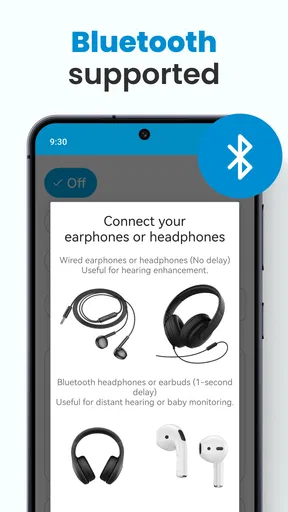
One thing I appreciated is how it integrates seamlessly with Bluetooth headphones. You can easily connect your wireless buds and enjoy the enhanced hearing experience without any hassle. This makes it a convenient option for those who are always on the go.
Bluetooth headphones can make the setup less restrictive than holding the phone to the ear, but comfort and connection depend on the headphones and phone being used. I would pair them and test a short conversation at home before counting on them in public. If audio feels delayed, uneven, or tiring, a wired or different listening setup may be worth comparing rather than assuming the app itself will solve the problem.
Remaining barriers and who should look elsewhere
The biggest limitation is the gap between amplification and hearing treatment. A phone app can make sound easier to hear in some circumstances, but it cannot establish why hearing has changed or whether a particular sound profile is appropriate. New, worsening, or one-sided hearing difficulty deserves professional attention. Likewise, anyone with substantial hearing loss should not postpone an assessment in the hope that an app will provide the consistency or individualized care of a hearing professional.
There are also situations where amplification is simply the wrong priority. If background noise is overwhelming, if voices are coming from several directions, or if wearing headphones makes someone less aware of nearby activity, another approach may be safer and more useful. I would stop using it if the sound causes discomfort, and avoid treating a louder setting as proof that speech is clearer.
Firehawk’s app has a 3.9 average across around 9,200 ratings, alongside about 154 written reviews. Ratings can help set expectations, but personal results will depend on the listener, their device, headphones, and surroundings. The sensible test is a brief, low-pressure trial with someone familiar, followed by a decision based on clarity and comfort rather than the number of controls available.
Is it worth trying?
By now, you might be wondering if the Hearing Aid App is worth the download. In my opinion, it absolutely is, especially if you’re someone who struggles with hearing in certain situations. The app is user-friendly, packed with useful features, and actually makes a noticeable difference in audio quality.
While it might not replace a professional hearing aid for those with severe hearing loss, it’s definitely a handy tool for everyday use. Plus, the fact that it’s available on Android makes it accessible to a broad audience.
I would recommend it most to Android users who want to experiment with occasional listening support, are comfortable using a phone and headphones together, and can take time to tune the sound in a calm setting. I would skip it as a substitute for clinical advice, or if I needed dependable, hands-free hearing support across every part of the day. Those are different needs, and a specialist can help identify a more appropriate option.
All in all, if you’re looking for a way to enhance your hearing experience without breaking the bank, give the Hearing Aid App a try. Who knows, it might just become an essential part of your daily routine.
Pros
- User-friendly interface for easy navigation.
- Real-time sound enhancement feature.
- Customizable settings for different environments.
- Compatible with most Android devices.
- Low battery consumption for extended use.
Cons
- Limited functionality in noisy environments.
- Requires headphones for optimal use.
- Subscription needed for premium features.
- May lag on older Android devices.
- Initial setup can be confusing for some users.
FAQs for Hearing Aid App for Android
How does the Hearing Aid App improve sound quality?
The Hearing Aid App enhances sound quality by using your device’s microphone to capture audio, which it then processes to amplify speech and reduce background noise. Advanced algorithms filter and adjust sound based on your environment, providing a clearer and more personalized listening experience tailored to your hearing needs.
Is the Hearing Aid App compatible with all Android devices?
While the app is designed to work on most Android devices, it’s important to check the specific system requirements and compatibility on the app's download page. Some features may require newer hardware or software versions, so ensure your device meets the app’s specifications for optimal performance.
Can I customize the sound settings in the Hearing Aid App?
Yes, the app offers customizable sound settings to tailor the audio experience to your preferences. Users can adjust volume levels, frequency settings, and noise reduction options. Some advanced versions may also include preset modes for different environments like restaurants, outdoor areas, or one-on-one conversations.
Does the Hearing Aid App work offline, or is an internet connection required?
The basic functionalities of the Hearing Aid App, such as sound amplification and noise reduction, typically work offline. However, some features, like cloud-based updates and certain advanced settings, may require an internet connection. It’s advisable to review the app’s requirements to understand what features need connectivity.
Is the Hearing Aid App suitable for people with severe hearing loss?
The app can assist individuals with mild to moderate hearing loss by enhancing sound quality. However, those with severe hearing impairments should consult a healthcare professional. The app is not a replacement for professional hearing aids and may not provide the necessary amplification required for severe cases.


